
Should You Use CPQ and Agentforce Revenue Management (RCA) in the Same Organisation?
 Ash Mahmud
CPQ and ARM are Built for Different Revenue Control Models CPQ and Agentforce Revenue Management are not sequential upgrades of the same capability. Both are designed to control revenue at different points in the operating model. CPQ focuses on deal construction and price calculation at the point of sale. Agentforce Revenue Management governs revenue execution, contractual continuity, and financial integrity beyond the deal. If you run both together without recognising this distinction, it can create overlapping authority over pricing, products, approvals, and revenue data. Also Read: ARM Adoption Failure Patterns Leadership Should Expect Dimension CPQ Agentforce Revenue Management Primary Role Deal configuration and quoting End-to-end revenue execution Pricing Control Sales-driven, quote-centric Finance-governed, contract-aware Product Model Quote-time bundles and options Persistent products, assets, entitlements Approval Logic Deal-level approvals Revenue, contract, lifecycle governance Revenue Ownership Sales Operations centric Finance and Revenue Operations owned Failure Mode Inaccurate or inconsistent quotes Revenue leakage and reconciliation risk Also Read: Salesforce Revenue Cloud vs CPQ: What C-Suite Leaders Need to Know CPQ and Agentforce Revenue Management Coexistence is a High-Risk Architecture Decision Let’s say you already run CPQ across sales and quoting, and you decide to implement Agentforce Revenue Management in the same Salesforce organisation to modernise revenue operations. CPQ continues to control deal construction, pricing, and approvals, while ARM introduces contract, order, asset, and billing governance. Both systems now participate in the same revenue lifecycle. Revenue control no longer remains within a single architecture and authority spreads across platforms by design. Also Read: Salesforce Agentforce Revenue Management Limits Your Org Should Know Before Deployment Unfortunately, the coexistence of CPQ and RCA introduces the following risks: Also Read: A Comprehensive Guide to What Is Salesforce Go How to Reduce Risk If CPQ and RCA Must Coexist? Risk Area Required Control What This Achieves Pricing Authority Assign one system as the pricing source of truth Prevents pricing conflicts across quote, contract, and billing Product Structure Define system ownership for products and bundles Maintains alignment across selling and revenue execution Approval Governance Separate deal approval from revenue governance Preserves accountability across sales and finance Transaction Flow Enforce a single quote-to-bill conversion path Reduces manual intervention and error Data Ownership Establish one authoritative revenue reporting layer Protects forecast and financial confidence Change Management Route pricing and product changes through one control model Limits downstream impact of commercial updates Operational Controls Enforce system boundaries to reduce exceptions Shifts effort from reconciliation to execution Audit Traceability Centralise amendment and billing governance in RCA Strengthens audit readiness and compliance Coexistence Duration Define coexistence as a temporary transition state Prevents long-term architectural drift Exit Planning Set CPQ decommission milestones before RCA expansion Keeps migration controlled and predictable Also Read: 1AIME’s Guide to Salesforce Revenue Operations (RevOps) in 2025 Why Should Plan CPQ Exist Before ARM Adoption? It is suggested to define a CPQ exit plan before adopting ARM because Agentforce Revenue Management expands revenue control beyond deal creation into contracts, orders, assets, and billing. Without a defined transition, both systems continue to shape pricing, products, approvals, and transactions, which hardens complexity into the revenue architecture. Notably, a clear CPQ exit plan ensures ARM adoption leads to consolidation rather than prolonged overlap: Also Read: Is Your Business ARM-Ready? 5 Questions to Ask Before Migrating from Salesforce CPQ Get CPQ to ARM Migration Advisory Talk to us before CPQ and Agentforce Revenue Management overlap creates structural risk. We help C-suite and revenue leaders design a controlled CPQ to ARM transition that protects pricing authority, revenue integrity, and operational stability. Our advisory approach clarifies architecture, governance, and exit sequencing early, so ARM adoption strengthens your revenue model instead of amplifying complexity. Let us help you avoid revenue drift, reconciliation burden, and costly rework. So, you can move to Agentforce Revenue Management with confidence.
Agentforce Revenue Management Adoption Failure Patterns Leadership Should Expect
Ash MahmudCPQ to ARM migration reshapes how you design, govern, and execute revenue decisions. This transition succeeds when you treat it as an operating model shift. Problems appear when the program runs like a system replacement. Revenue Cloud Advanced enforces clarity. Every unresolved decision surfaces fast and repeatedly. It should be clear that Salesforce CPQ absorbed uncertainty through flexibility. But Agentforce Revenue Management runs on intent, structure, and ownership. Pricing logic, product models, and approvals stop being workarounds and start behaving like rules. RCA reflects how your organisation actually decides today. Let’s say your migration has reached technical completion. However, the Agentforce Revenue Management adoption will still depend on the decisions you make before and reinforce after go-live. Agentforce Revenue Management exposes gaps through live selling, pricing outcomes, and approval behaviour, which you’ll experience right away. Also Read: Salesforce Revenue Cloud vs CPQ: What C-Suite Leaders Need to Know What causes CPQ to Agentforce Revenue Management migration and adoption to fail: 5 Major Agentforce Revenue Management Adoption Failure Patterns Leaders Must Identify Early Let us guide you on the RCA / ARM adoption patterns that surface early in Revenue Cloud Advanced programs so you can recognise risk before it turns into friction. Leadership decisions shape how pricing, products, approvals, and teams behave inside Agentforce Revenue Management from the first activation onward. It is important to identify these patterns early, or ARM gradually shifts from a revenue decision engine into an operational bottleneck. Early awareness allows you to correct sequencing, reinforce ownership, and protect adoption momentum before revenue execution slows. Also Read: Is Your Business ARM-Ready? 5 Questions to Ask Before Migrating from Salesforce CPQ Okay, let us say that you move from CPQ to Revenue Cloud Advanced with the goal of keeping momentum steady. You bring pricing rules, approval paths, and product structures across as they stand today. The platform goes live and transactions move through. RCA then applies every rule with consistency and discipline. Flexibility that once relied on experience and judgment now behaves like fixed intent. Legacy CPQ Logic Is Carried Forward Without Redesign CPQ supported growth through human interpretation. Revenue Cloud Advanced operates through defined structure. The gap between those two models explains why adoption pressure appears early. RCA surfaces strategy gaps through daily selling rather than presentations or reports. Teams feel the impact in real deals. What this RCA failure looks like in practice? This RCA failure pattern forms because you: How to avoid and fix this RCA failure pattern? You redesign before automation begins. Product identity gains clarity before pricing applies. Pricing intent becomes explicit before rules execute. Approval ownership becomes clear before enforcement starts. RCA then supports selling with confidence rather than restricting it. Strategic alignment improves when you step back and review CPQ vs Revenue Cloud Advanced for C-suite leaders to understand where architectural intent replaces inherited behaviour. Redesign positions RCA as a decision engine that scales with the business. Legacy logic supports yesterday’s operating model. Redesign prepares revenue for the next phase of growth. Adoption strengthens when outcomes feel deliberate, predictable, and trusted. Also Read: 1AIME’s Guide to Salesforce Revenue Operations (RevOps) in 2025 Revenue Capabilities Are Enabled Before Commercial Foundations Stabilise Now, let’s say that enthusiasm builds as soon as Revenue Cloud Advanced is available to use. Stakeholders want visible progress while teams start enabling quoting, pricing engines, and advanced workflows early. Right? Product structure, pricing intent, and deal boundaries still feel “good enough.” RCA then applies powerful capabilities on top of assumptions that never settled. Revenue Cloud Advanced expects sequence. Product structure sets direction. Pricing intent shapes outcomes. Deal boundaries define confidence. Capability activation ahead of that clarity magnifies uncertainty rather than value. Sales feels friction in live deals. RevOps absorbs corrections. Leadership sees slower momentum despite more features. What this failure looks like in practice? This RCA failure pattern forms because: How to avoid and fix this ARM failure pattern? You need to stabilise commercial foundations before acceleration. Product models gain structure before configuration engines run. Pricing intent gains clarity before procedures calculate outcomes. Deal boundaries gain ownership before approvals activate. ARM then amplifies certainty rather than confusion. Control improves when activation follows a guided path. Confidence increases when you use Salesforce Go to manage sequencing, dependencies, and governance across Revenue Cloud. Foundations create confidence, capabilities create scale, and adoption strengthens when execution rests on deliberate commercial design. Also Read: A Comprehensive Guide to What Is Salesforce Go Post-Implementation Adoption Isn’t Thoroughly Validated Okay, let us say that the migration reaches completion. Revenue Cloud Advanced goes live. Quotes generate. Orders submit. Dashboards show activity. Leadership confidence rises because usage appears healthy. Daily selling then tells a different story. Teams follow old habits while RCA records outcomes after decisions already form elsewhere. RCA adoption depends on reliance, not access. Usage shows who logs in. Reliance shows where decisions happen. Validation that stops at go-live misses this distinction. RCA continues operating correctly. Adoption weakens because trust never becomes consistent. What this RCA failure looks like in practice? This ARM failure pattern forms because: Post-implementation validation keeps RCA aligned with real behaviour. How to avoid and fix this ARM failure pattern? You validate adoption continuously. Decision paths receive review. Exception trends receive attention. Pricing outcomes receive comparison against intent. Leadership reinforces that RCA represents the source of commercial truth. Adoption strengthens when reliance replaces habit. RCA performs best when leadership treats post-implementation validation as ongoing governance rather than a closing task. Also Read: Salesforce Revenue Cloud (ARM) Limits Your Org Should Know Before Deployment ARM Ownership Is Assigned Without Decision Authority Now, let us suppose clear ownership for Revenue Cloud Advanced appears established. Configuration responsibility sits with one team. User support responsibility sits with another. Governance roles show clarity on documentation and in steering decks. Decision authority remains spread across functions. Pricing judgement rests with one group. Deal exceptions rest with another. Commercial outcomes take shape outside ARM and return later for record keeping. Agentforce Revenue Management adoption depends on authority alignment
A Comprehensive Guide to What is Salesforce Go
Ash MahmudSalesforce has always been offering powerful features across sales, service, revenue, data, and AI, which give organisations the ability to scale and innovate. However, it was never easy to understand which features were right for your needs, what they depended on, or how to enable them without risk. In fact, feature setup often required jumping between Setup screens, documentation, and licensing pages, with no clear view of readiness or impact. Therefore, Salesforce introduced Salesforce Go in the Winter 2025 release to change this experience. Salesforce Go brings structure to feature enablement by connecting discovery, setup, access, and adoption in one guided flow. Now, you have a central platform to explore features based on business goals, understand requirements before enabling anything, follow a clear setup path, and monitor real usage with confidence. So, What is Salesforce Go? Salesforce Go is a centralised platform layer within Salesforce that governs how features are discovered, enabled, configured, accessed, and monitored across an organisation. It provides a single, controlled workflow that connects feature discovery, licensing eligibility, prerequisite validation, setup steps, user access, and adoption tracking into one consistent process. Basically, Salesforce Go defines the approved path through which Salesforce capabilities move from availability to operational use. It does not add new functionality. It ensures existing features enter the organisation in the correct order, with the correct permissions, configuration, and visibility in place. Salesforce Go works by: In technical terms, Salesforce Go functions as the feature lifecycle and enablement control layer for the Salesforce platform. Also Read: How to Set Up RCA Features with Salesforce Go? Is Salesforce Go a Cloud or a User Interface for Other Clouds? Salesforce Go is not a Salesforce cloud and not a standalone product. It is not even just a simple user interface. Salesforce Go is a platform-level enablement and control service within Salesforce Setup that manages how features from all Salesforce clouds are discovered, enabled, configured, licensed, and monitored inside an organisation. It operates at the platform layer, not the application layer. Salesforce Clouds such as Sales Cloud, Service Cloud, and Revenue Cloud deliver business functionality. They introduce objects, data models, automation, and execution logic. Salesforce Go does not deliver business functionality. Instead, Salesforce Go controls the feature lifecycle for different clouds by: All the controls are enforced through Salesforce Setup and system metadata, not through user workflows. So, the accurate way to describe Salesforce Go is: Salesforce Go is a platform enablement and governance service within Salesforce that controls the discovery, activation, configuration, access, and adoption of features across all Salesforce clouds. It acts as the system of record for feature state inside a Salesforce organisation. Just to be clear… Core Capabilities of Salesforce Go Capability What It Does Why It Matters Feature discovery Shows available features and feature sets based on edition, licences, and business goals Helps identify relevant capabilities without searching across Setup and documentation Feature sets Groups related features around a clear business outcome Supports enablement planning aligned with organisational workflows Eligibility validation Confirms edition, licence, and permission requirements before activation Prevents unsupported or incomplete feature enablement Prerequisite and dependency checks Validates required features and settings before activation Ensures correct activation order and platform stability Guided feature activation Provides a controlled process to enable features Reduces risk during feature rollout Configuration guidance Surfaces required setup steps after activation Ensures features become operational User access management Assigns permission sets and permission set licences Keeps access aligned with enabled features Licence monitoring Tracks assigned and active permission set licences Supports cost and capacity management Feature usage tracking Displays adoption and usage metrics Enables value measurement and optimisation Safe rollout support Supports sandbox-first enablement and readiness checks Reduces operational risk before production release Free Download: CPQ to RCA Migration Guide for C-Suite Leaders How Salesforce Go Works Across the Salesforce Platform? Salesforce Go works as the connective layer between business intent and technical execution across the Salesforce platform. Instead of treating feature discovery, setup, permissions, licensing, and adoption as separate activities, Salesforce Go brings them into one coordinated experience. You no longer move between disconnected areas of Setup, Help, and account management to understand what a feature needs or whether it is ready for use. Salesforce Go operates inside Salesforce Setup and reflects the actual state of your organisation. It shows what your edition supports, which licences are available, what prerequisites exist, and what configuration remains incomplete. Every action follows a defined path, so features move from availability to real use with clarity and control. This approach applies across clouds, not just one product area. Sales, Service, Revenue, Data, and AI features all follow the same enablement logic. Salesforce Go provides consistency across the platform, even as Salesforce continues to expand. Salesforce Go as a Centralised Enablement Layer Salesforce Go functions as the central enablement layer that controls how Salesforce features enter and operate within an organisation. It sits above individual clouds and features and provides one place to evaluate readiness, confirm requirements, and guide setup. Instead of enabling features in isolation, Salesforce Go ensures every capability follows a consistent, supported path from discovery to real use. This centralisation removes uncertainty. You make decisions with full visibility into licensing, prerequisites, configuration steps, and access requirements. Salesforce Go does not replace Setup. It coordinates it, so enablement stays structured as your Salesforce footprint grows. Salesforce Go enables this by: For Example, Revenue Cloud features depend on shared product models, pricing logic, and transaction flows. Salesforce Go ensures all the foundations are properly active before advanced capabilities are available to use. Once you follow this approach, you’ll see how it enables Revenue Cloud to operate as a connected revenue system rather than a set of disconnected modules. Also Read: Is Your Business RCA-Ready? 5 Questions to Ask Before Migrating from Salesforce CPQ Discovery, Activation, Configuration, and Adoption Lifecycle Salesforce Go helps you manage feature enablement through a structured lifecycle. It brings discovery, activation, configuration, and adoption into one controlled flow so features enter your organisation with clarity and readiness.
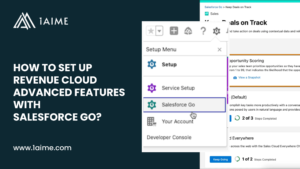
How to Set Up Agentforce Revenue Management (RCA) Features with Salesforce Go?
Ash MahmudSalesforce launched Salesforce Go during the Winter 25 release to bring order to how complex Salesforce products enter an organisation. Basically, cloud portfolios kept expanding across revenue, service, data, and AI. Feature activation across Setup, licenses, and documentation created confusion and risk. Therefore, Salesforce introduced Salesforce Go to provide one controlled path for discovery, activation, configuration, and governance. Salesforce Go defines which Revenue Cloud capabilities appear, the order of activation, the dependencies between engines, and the access and licensing model. Revenue Cloud only becomes a reliable revenue platform if Salesforce Go effectively controls how each capability enters the Salesforce org. This guide explains how Salesforce Go structures Revenue Cloud Advanced, how feature sets and features should become active, and how organisations move from licensed modules to a stable, enterprise grade revenue system with confidence. All backed by official Salesforce insights. Free Download: CPQ to RCA Migration Guide for C-Suite Leaders What is Salesforce Go and how it controls Revenue Cloud activation? Salesforce Go is the central enablement and governance platform that Salesforce provides to help organisations discover, activate, configure, and manage Salesforce features across the entire platform. Salesforce designed Salesforce Go to bring structure to how complex products get introduced into a Salesforce org so every capability enters the system in the correct order, with the correct dependencies, permissions, and licensing in place. Salesforce Go turns Revenue Cloud Advanced from a collection of powerful modules into a governed operating environment for revenue. Salesforce Go brings four essential capabilities into one workspace. Why Salesforce uses Salesforce Go for Revenue Cloud? Revenue Cloud Advanced runs the commercial engine of the business. Product catalogues, pricing rules, quoting, ordering, fulfilment, and billing all depend on shared data structures and execution logic. If you go for a random or unstructured activation of these components, it can create instability, revenue leakage, and operational risk. Salesforce uses Salesforce Go to ensure Revenue Cloud features enter the organisation in a controlled sequence that matches how the revenue lifecycle works. For example, a business that plans to sell configurable subscription bundles needs three things to exist before quoting begins. A structured product catalogue needs to exist. Pricing logic needs to exist. Configuration rules need to exist. Salesforce Go enforces this order by guiding admins to enable Product Catalog Management, Price Management, and Product Configurator in the correct sequence. How Salesforce Go controls Revenue Cloud activation? Salesforce Go controls RCA activation through a guided funnel called Get Started with Revenue Cloud. Admins begin inside Salesforce Go by locating Revenue Cloud. Salesforce Go shows all available feature sets and features based on the organisation’s edition and licenses. Admins then select the Revenue Cloud capabilities that match the business model. Each time a feature gets turned on, Salesforce Go checks three things. First, Salesforce Go verifies licensing and edition eligibility so only supported RCA capabilities enter the org. Second, Salesforce Go validates technical prerequisites so dependent components become available before the feature becomes usable. Third, Salesforce Go opens the configuration path so admins complete the setup that turns a feature into an operational revenue engine. For example, an organisation that enables Quotes through Salesforce Go receives the required objects, metadata, and setup screens. Salesforce Go then directs the admin to assign permission sets to sales users and expose quote components on Lightning pages. This ensures sales teams receive a working quoting environment rather than a partially enabled feature. Salesforce Go also tracks which users hold Revenue Cloud permission sets and how many licenses remain available. This allows leadership teams to control access, forecast cost, and maintain compliance as RCA expands across the organisation. Salesforce Go therefore acts as the activation engine, configuration guide, and governance layer for Revenue Cloud Advanced. Revenue Cloud becomes an enterprise grade revenue system through this structure rather than a collection of disconnected tools. Also Read: Salesforce Revenue Cloud Limits Your Org Should Know Before Deployment How Salesforce Go structures Revenue Cloud into feature sets and features? Salesforce Go organises Revenue Cloud Advanced using a two-layer architecture that separates business goals from technical capabilities. This structure allows leadership teams and administrators to activate RCA in a way that reflects how revenue operations work rather than how software components happen to exist. The first layer consists of Feature Sets to represent business-level revenue functions. Each feature set groups multiple capabilities that work together to achieve a specific commercial outcome. Salesforce provides 3 Revenue Cloud feature sets, which acts as a blueprint for how Revenue Cloud should support a specific part of the revenue lifecycle. The second layer consists of Features, which represent the actual Revenue Cloud engines that execute the work defined by each feature set. Revenue Cloud provides the following features inside Salesforce Go. Salesforce Go links feature sets to features through dependency logic. For example, Design Product Catalogs connect to Product Catalog Management, Product Discovery, and Product Configurator. Manage Pricing connects to Price Management. Manage Sales Transactions connects to Quotes, Orders, and Asset Lifecycle Management. This structure ensures Revenue Cloud grows in a controlled way. Leadership teams select feature sets based on how the business sells. Salesforce Go then exposes the correct technical features that bring those business models to life. Salesforce Go therefore provides a business-first map of Revenue Cloud Advanced rather than a technical checklist. Revenue operations become easier to design, activate, and govern because every feature aligns to a clear commercial purpose. Also Read: What is the Cost of Ignoring Revenue Cloud (RCA) Limits During Implementation? How to access Salesforce Go and locate Revenue Cloud in your Salesforce org? Salesforce Go operates through Salesforce Setup and provides the controlled entry point for Revenue Cloud Advanced enablement. Access begins through the admin interface that governs security, data, and configuration so every Revenue Cloud action remains under platform governance. Step 1. Open Salesforce Setup Log in to Salesforce using Lightning Experience. Select the gear icon at the top right of the screen. Choose Setup to open the administration workspace. Step 2. Open Salesforce Go Locate
What is the Cost of Ignoring Agentforce Revenue Management Limits During Implementation?
Ash MahmudIgnoring RCA Limits Increases Operational Burden and Constrains the Org’s Ability to Scale Cleanly RCA implementation should always be backed by thorough planning that accounts for the full scope of Revenue Cloud capabilities and operating limits. Or else it directly impacts execution speed, operational effort, governance stability, financial accuracy, and long-term scalability across the organisation. Well, it is clear that Revenue Cloud delivers transformational value across the revenue lifecycle, yet it operates within clearly defined constraints that shape how scale, complexity, and automation can be sustained over time. RCA limits typically surface in every organisation as volume grows, offerings expand, and commercial models mature. The impact does not appear suddenly. In fact, it accumulates gradually inside daily operations. So, if you ignore RCA limits during planning, it doesn’t stop the implementation, but simply transfers the impact into execution. Yes, the cost of ignoring RCA limits then shows up and the organisation pays for missed alignment either through slower processes or through change programmes after go-live. Let’s take a clear view of the main RCA limit areas and the direct consequences each one introduces when overlooked during implementation. The Operational Cost of Ignoring RCA Limits Read in Detail: Salesforce Revenue Cloud Limits Your Org Should Know Before Deployment How Early Consideration of RCA Limits Prevents Downstream Cost? RCA Area RCA Limit Design Focus Required Downstream Cost Prevented Product Catalogue Product volume, attributes, bundles, hierarchy, indexing Structured catalogue design with lifecycle governance Admin overload, slow quoting, reporting inconsistency Pricing & Rating Pricing logic size, execution thresholds, rating workload Modular and reusable pricing architecture Pricing instability, maintenance overhead Product Configuration Constraint model size and execution performance Policy-driven and clearly segmented rule design Sales friction, longer deal cycles Transaction Management Quote and order line volume, attribute scale, bundle size Disciplined deal and contract structure Performance strain, renewal complexity Fulfilment Orchestration Order throughput, orchestration depth, attribute volume Simplified and modular fulfilment flows Manual intervention, fulfilment delays Usage & Consumption Usage item volume and lifecycle scope Stable and predictable usage-based commercial models Billing exceptions, audit exposure Billing Invoice lines, batch capacity, document generation limits Predictable billing and invoicing design Reconciliation effort, delayed revenue recognition Also Read: CPQ vs Revenue Cloud Advanced: A Complete Comparison Guide for C-Suite Leaders So, What You Should Validate Before Finalising RCA Design? Also Read: Is Your Business RCA-Ready? 5 Questions to Ask Before Migrating from Salesforce CPQ Get 1AIME Guidance for Designing a Scalable Revenue Cloud Operating Model Our RCA migration consulting walks you through each Revenue Cloud capability, operating boundary, and design consideration so your implementation decisions are intentional from the outset. We help leadership avoid shifting complexity into day-to-day operations and ensure that Revenue Cloud supports execution speed, governance stability, and financial confidence as volume and commercial sophistication grow. Request 1:1 RCA Consultation Get AIMCheck Audit Report Free RCA Migration Guide
Salesforce Revenue Cloud Limits Your Org Should Know Before Deployment
Ash MahmudRevenue Cloud is Transformative But it Comes with Clearly-Defined Operating Limits 2026 is surely the year when you should migrate from CPQ to RCA. The direction’s clear and even the momentum’s real. It feels like the right time to move forward and modernise your revenue stack. But that does not mean you jump into it blindly. You need full clarity before you commit your organisation to anything of this scale. Yes, it is important to understand every system limit that comes with RCA so you can move from CPQ with a clear intention and all leadership decisions are fully-informed rather than reactive. According to Salesforce, Revenue Cloud Advanced comes with clearly defined operating limits across core revenue functions. It requires you to work within boundaries across core revenue activity: product catalogue size, pricing complexity, quote and order line volume, usage processing, fulfilment activity, and billing throughput. Each RCA limit influences how you design, govern, and scale your revenue model. Let us break down all RCA limits for you right here in one place. So, you can understand what they actually mean and how to plan your RCA migration with confidence. Also Read: Is Your Business RCA-Ready? 5 Questions to Ask Before Migrating from Salesforce CPQ Which System Limits Should You Understand Before Deploying Revenue Cloud? Here’s a quick overview of the core system limits that mainly influence RCA deployment strategy and operating-model design. Revenue Area Primary Limits Leadership Meaning Product Catalog Management 10,000 products per classification; 200 attributes per product; 3 bundle levels; 5 child nodes per parent; 600 overrides; 100,000 products per category; 1,000,000 indexed products Catalogue expansion requires structure and governance to protect quoting, billing, and financial clarity. Salesforce Pricing 2,000 pricing and discovery procedures per org; up to 130 pricing elements per procedure; up to 25 price-impacting attributes per product Pricing design works best when models remain modular, reusable, and policy-driven. Rate Management (Usage Rating) Up to 70 rating elements per procedure; up to 1,000 lookup inputs; up to 1,200 rate-card entries; execution window up to 60 seconds Usage-based billing remains reliable when rating logic stays streamlined and intentional. Product Configurator Constraint model size up to 6MB; table constraints up to 50,000 rows; execution window up to 10 seconds Guided selling depends on clear, well-governed rule design rather than layered complexity. Transaction Management 1,000 quote lines or order products; 5,000 total quote-related records; 200 bundle lines; 3,000 attributes per quote or order Deal structure discipline matters as catalogue variety grows. Dynamic Revenue Orchestrator (Fulfilment) 2,400 high-priority orders per hour; up to 1,000 items async / 200 sync; up to 3,000 fulfilment-order attributes; up to 2,000 fulfilment steps async Fulfilment automation scales most effectively with controlled orchestration design. Usage & Consumption Management 200 order items per order; bundled usage not supported; limited lifecycle modification handling Usage billing suits predictable, stable commercial models. Now, let’s go through a detailed breakdown of each RCA limit. Revenue Cloud Advanced includes a powerful product catalogue capability, although Salesforce applies clear structural limits to protect performance, data quality, and financial predictability. You can gain the strongest RCA outcomes only if the catalogue growth follows structure and governance, rather than informal expansion. The catalogue becomes the foundation for quoting, fulfilment, billing, and renewals, so clarity at this level has strategic impact. Before designing or migrating your catalogue, it is essential to understand the operating boundaries described below and the effect they may have on product strategy and sales execution. Product Volume and Attribute Limits Revenue Cloud Advanced applies the following limits to product creation and configuration: All these RCA limits support large-scale product portfolios while still encouraging disciplined product design. Catalogue expansion introduces operational responsibility, since higher product and attribute volumes increase governance effort across Sales, Finance, RevOps, and Product. RCA therefore performs best when product growth follows clear structure rather than unrestricted addition. For example, a SaaS organisation may maintain hundreds of licence types, add-ons, bundles, and regional versions. Attributes may define billing terms, service tier, eligibility, and compliance category. Even when operating far below platform limits, clarity improves when product creation follows naming standards, lifecycle controls, and attribute governance. Therefore, it is suggested to: Bundle Structure and Override Limits Revenue Cloud Advanced applies the following limits to bundle structures: All these RCA limits support powerful bundle design while still keeping structure understandable, governable, and efficient across Sales, Finance, RevOps, and Product teams. Bundles can therefore reflect real commercial packaging without becoming overly complex or dependent on excessive exception handling, which often leads to quoting risk, fulfilment delays, and reconciliation effort in billing. For example, an organisation may create a bundle with a core platform product at Level 1, functional modules at Level 2, and optional add-ons or services at Level 3. Attribute overrides might then apply agreed price variations or inclusions for specific customer segments. When bundle depth and override usage remain controlled, teams configure deals confidently and downstream processing continues smoothly. Therefore, it is suggested to: Category & Hierarchy Scale Limits Revenue Cloud Advanced applies the following limits to product category structure: All these RCA limits support large enterprise catalogues while still encouraging clear organisation and navigation. Categories act as logical groupings that help users locate the right product quickly, while hierarchy levels allow structured segmentation across product lines, regions, or business units. As catalogues expand, category design becomes a strategic decision rather than an administrative action, since structure directly influences search efficiency and reporting clarity. For example, an organisation may group offerings into high-level categories such as Software, Services, Hardware, and Support. Within Software, further hierarchical levels may segment products by platform, edition, or market segment. This structure allows sales teams to navigate large catalogues effectively while maintaining governance over product growth. Therefore, it is suggested to: Search and Filtering Configuration Limits Revenue Cloud Advanced allows you to configure product search and filtering with the following limits: All these RCA limits determine how easily users can locate the right product during quoting and catalogue navigation. Searchable fields help users