
Is Salesforce Go Optional for Your Enterprise Agentforce Revenue Management?
 Ash Mahmud
Enterprise ARM Requires Controlled Feature Enablement Enterprise leaders adopt Agentforce Revenue Management to run the commercial core of the business. Product structure, pricing logic, quoting, orders, amendments, and renewals operate on shared data and execution paths. Every activation decision influences revenue accuracy, operational stability, and downstream reporting. Feature enablement at this level represents a governance choice. Configuration actions determine how revenue flows through the organisation. Activation order determines whether pricing, contracts, and lifecycle processes behave as a single system or fragment under load. Agentforce Revenue Management introduces tightly connected capabilities. Product data feeds pricing engines. Pricing engines feed quotes. Quotes generate orders and assets. Lifecycle engines manage amendments and renewals. Controlled enablement keeps this chain intact. Uncontrolled activation produces predictable enterprise outcomes: Salesforce designed Salesforce Go to address this exact challenge. Yes, Salesforce Go governs how advanced capabilities enter the organisation. It establishes sequence, validates readiness, aligns access, and tracks adoption. Revenue features move from licensed entitlement to operational capability through one controlled path. This guide speaks to leaders responsible for revenue integrity, platform governance, and scale. The content explains how Salesforce Go shapes Agentforce Revenue Management enablement, where optionality exists, and where operational discipline requires enforcement. Also Read: What is Agentforce Revenue Management (Formerly RCA) What Salesforce Go Controls in Agentforce Revenue Management? Salesforce Go defines how Agentforce Revenue Management enters an enterprise Salesforce organisation. Leaders gain a single control layer that governs activation sequence, configuration readiness, access alignment, and adoption visibility. Revenue capabilities move into production through an approved and traceable path. Salesforce Go controls five enterprise-critical areas. Feature Availability and Scope Salesforce Go determines which Agentforce Revenue Management capabilities appear for activation. Visibility aligns with Salesforce edition, purchased licenses, and account entitlements. Leaders see the full revenue scope before any technical action begins. Planning happens with certainty around what the platform supports. Activation Order and Dependency Enforcement Salesforce Go enforces the activation sequence across product catalogues, pricing engines, quoting, ordering, and lifecycle management. Each capability activates only after required foundations exist. Product structure activates before pricing. Pricing activates before quoting. Quoting activates before orders and assets. This order preserves revenue integrity across the lifecycle. Configuration Readiness Salesforce Go exposes required setup steps after activation. Configuration follows a guided sequence that prepares objects, metadata, and rules for operational use. Revenue features reach users only after configuration reaches a complete and supported state. License and Access Governance Salesforce Go manages permission sets and permission set licenses for each revenue capability. Access aligns with activated features. License usage becomes visible and measurable. Leaders maintain control over cost, compliance, and role-based access as adoption expands. Adoption and Usage Visibility Salesforce Go tracks feature usage and license consumption across teams. Leaders see which revenue capabilities deliver value and where adoption gaps exist. Decisions around enablement, training, and expansion rely on operational data rather than assumption. Executive Perspective Salesforce Go functions as the system of record for revenue feature state. Agentforce Revenue Management grows as a governed platform rather than an accumulation of activated modules. Controlled enablement protects revenue execution and supports scale with confidence. Also Read: What Salesforce RCA Rebranding to Agentforce Revenue Management Really Signals? When Salesforce Go Is Technically Optional for ARM Deployment? It is not always necessary to rely on Salesforce Go for Agentforce Revenue Management deployments. Yes, Salesforce Go can be technically optional if revenue operations remain limited in scope and controlled in execution. Enterprise leaders can proceed without Salesforce Go under clearly defined conditions. Salesforce Go remains technically optional under specific conditions: Also Read: A Comprehensive Guide to What is Salesforce Go When Salesforce Go Is Operationally Required for ARM Deployment? Enterprise deployments of Agentforce Revenue Management reach a point where operational stability depends on controlled enablement. Revenue scope, transaction volume, and organisational scale introduce dependency depth that requires a governing activation layer. Salesforce Go provides that control by enforcing sequence, readiness, access alignment, and adoption visibility. Salesforce Go is operationally required under the following conditions: Each condition increases dependency density and operational risk. Salesforce Go enforces activation order, validates prerequisites, and aligns access across teams. Revenue capabilities enter production through a controlled and traceable path. Risks of Enabling ARM Without Salesforce Go Enterprise deployments of Agentforce Revenue Management rely on precise coordination across product structure, pricing logic, transactions, and lifecycle management. Uncontrolled enablement introduces fragmentation across these layers. Operational risk increases as scale, volume, and team count grow. Salesforce Go exists to prevent revenue capabilities from entering production in an incomplete or misaligned state. Here are the primary enterprise risks that emerge when you activate ARM features without Salesforce Go governance: Risk Area Enterprise Impact Revenue Consequence Activation order drift Revenue engines activate out of sequence Pricing, quoting, or ordering failures Incomplete configuration Features reach users before setup completion Deal errors and rework Dependency gaps Required foundations remain inactive Broken revenue workflows Permission misalignment Users gain access without readiness Inconsistent execution across teams Licence visibility loss Licence usage lacks central tracking Cost overruns and compliance exposure Parallel admin actions Multiple teams enable features independently Configuration inconsistency Limited adoption insight Usage remains unmeasured Reduced ROI and delayed optimisation Change impact opacity Feature changes lack traceability Elevated operational risk Also Read: ChatGPT vs Agentforce: Reasoning and Execution in Salesforce-Driven Enterprises Final Verdict Enterprise deployments of Agentforce Revenue Management require controlled feature enablement. Therefore, Salesforce Go is not optional in practice at this scale. Technical optionality exists only in low-complexity scenarios with contained revenue scope. Enterprise revenue operations introduce dependency depth, transaction volume, and governance requirements that demand a central control layer. Salesforce Go provides that control by protecting revenue execution, maintaining platform stability, and supporting growth with confidence.
What is Agentforce Revenue Management (Formerly RCA)
Ash MahmudWhat Is Agentforce Revenue Management? Agentforce Revenue Management was previously known as Revenue Cloud Advanced, the successor of Salesforce CPQ. Salesforce rebranded RCA to Agentforce Revenue Management as part of its Agentforce platform strategy to unify revenue operations with AI-driven execution across the full revenue lifecycle. ARM is an AI-enabled revenue orchestration layer that connects commercial intent with financial execution on CRM. It standardises product data, pricing logic, contract structures, order execution, and revenue analytics across the full revenue lifecycle. AI agents operate inside this layer to guide decisions, execute actions, and maintain accuracy at scale. The purpose of Agentforce Revenue Management is revenue control across the entire revenue lifecycle. It ensures: Also Read: ChatGPT vs Agentforce: Reasoning and Execution in Salesforce-Driven Enterprises RCA Rebranding VS ARM Platform Evolution Revenue Cloud Advanced already supported the full revenue lifecycle with AI-assisted capabilities across quoting, contracts, billing, subscriptions, and analytics. The rebrand to Agentforce Revenue Management represents an evolution in scope and execution rather than a reset of functionality. Salesforce repositioned RCA under Agentforce to reflect deeper AI agent participation, broader monetization scenarios, and tighter orchestration across complex revenue models and industries. To be clear, Agentforce Revenue Management expands how existing capabilities operate together on a unified platform. Aspect Revenue Cloud Advanced (RCA) Agentforce Revenue Management (ARM) Lifecycle coverage Full revenue lifecycle Full revenue lifecycle with agent-led execution AI capability Embedded AI assistance Expanded AI agents with execution authority Platform role Revenue Cloud solution Agentforce platform revenue pillar Quoting and billing Unified and automated Unified with deeper orchestration Revenue models Transactional, subscription, usage Transactional, subscription, usage, advertising Channel support Multi-channel Multi-channel with agent coordination Automation depth Rule-based and process automation Agent-driven automation and prediction Analytics scope Revenue and subscription analytics Predictive revenue and monetization intelligence Strategic positioning Advanced revenue capability Enterprise monetization platform Read More: What Salesforce RCA Rebranding to Agentforce Revenue Management Really Signals? Agentforce Revenue Management vs Legacy CPQ Salesforce CPQ focuses on accurate configuration, pricing, and quote creation at the sales stage. Agentforce Revenue Management extends beyond quoting to control revenue execution across contracts, orders, billing, renewals, and analytics. CPQ optimises deal creation whereas ARM governs the full revenue lifecycle. Dimension Legacy Salesforce CPQ Agentforce Revenue Management (ARM) Primary purpose Quote accuracy and deal configuration Enterprise-wide revenue control Lifecycle coverage Configure, price, quote Quote to cash with renewals and expansion Revenue scope Sales-stage monetisation Full commercial and financial execution Product logic Rule-based configurations Unified product and revenue logic Pricing control Discounts and deal pricing Pricing, billing, and monetisation models AI role Assisted recommendations Agent-driven execution and guidance Revenue models Primarily transactional Transactional, subscription, usage, hybrid Channel support Sales-led channels Direct, partner, and digital channels Order management Limited or external Native orchestration and fulfilment Billing and invoicing External or downstream systems Native billing and invoice intelligence Renewals and assets Add-on or manual Native asset and subscription lifecycle Analytics focus Quote and sales metrics Revenue, margin, retention, and cash metrics Strategic role Sales productivity tool Revenue operations platform How Agentforce Revenue Management Works? Let’s suppose your organisation manages subscription and usage-based revenue across direct and digital channels. Agentforce Revenue Management acts as the single revenue control layer on Salesforce CRM. The platform applies shared product data, pricing logic, contract rules, and billing structure across every revenue action. AI agents operate inside this layer to execute revenue tasks with accuracy and consistency. This is how Agentforce Revenue Management works in practice: Revenue Models and Channels Supported Agentforce Revenue Management supports revenue growth across every channel and every commercial model on a single platform. The system applies one product catalogue, one pricing structure, and one contract framework across the organisation. AI agents execute revenue actions consistently, which removes channel friction and model complexity. Revenue teams scale without rebuilding processes for each route to market. Revenue models supported by Agentforce Revenue Management: Channels supported by Agentforce Revenue Management: How ARM enables consistency across models and channels: Agentforce Revenue Management Features and Functions Agentforce Revenue Management provides a complete set of features and functions that control revenue execution across products, pricing, contracts, orders, billing, and analytics. All capabilities operate on a unified platform and support all revenue models and channels with governed logic and AI-driven execution. Category Features and Functions Product Management Unified product catalogue, attribute-based product modelling, SKU rationalisation, PIM, PLM, ERP integration Pricing Central pricing engine, tiered pricing, volume pricing, usage pricing, hybrid pricing, pricing sequence control, pricing calculation visibility Configuration Constraint Builder, rule-based configuration, guided selling, complex product configuration Quoting Automatic quote generation, quote updates, quote versioning, intelligent bundling, upgrade and add-on recommendations Contracts Contract creation, contract updates, clause libraries, contract templates, contract version control Contract Changes Amendments, renewals, cancellations, contract redlining, approval workflows, e-signature integration Order Management Order creation, order orchestration, commercial-to-technical order decomposition Fulfilment Orchestration plans, dependency management, real-time order change handling Downstream Execution Fulfilment initiation, billing initiation, revenue recognition initiation, compensation task initiation Asset Management Asset lifecycle tracking, entitlement management, ownership visibility Subscription Management Subscription tracking, MRR visibility, ARR visibility, quantity and term management Usage Management Consumption monitoring, usage entitlement tracking, usage-based billing Billing Invoice generation, invoice adjustments, invoice explanation, billing accuracy controls Analytics Pricing analytics, margin analytics, subscription revenue analytics, order analytics, billing analytics Automation Automated pricing, automated discounts, automated campaigns, automated revenue workflows AI Agents Quote generation, renewal management, consumption monitoring, invoice explanation Predictive Intelligence Churn risk identification, upsell identification, renewal forecasting Platform Coverage Multi-channel support, multi-revenue-model support, unified CRM execution Agentforce Revenue Management Components Agentforce Revenue Management operates as a coordinated set of revenue components on a single platform. Each component performs a defined role, while all components share the same data, pricing logic, and governance model. This structure ensures revenue execution remains consistent from product configuration through cash collection. Notably, all the components operate across multiple channels, including direct sales, partner sales, in-product experiences, and e-commerce. Each channel uses the same revenue logic, which allows organisations to scale without introducing revenue risk or operational fragmentation. End-to-End Revenue Lifecycle With Agentforce Revenue Management Agentforce Revenue
ChatGPT vs Agentforce: Reasoning and Execution in Salesforce-Driven Enterprises
Ash MahmudIf your organisation runs on Salesforce, AI adoption is no longer experimental, but in fact, operational. Decisions made today will shape how pricing, contracts, renewals, and revenue integrity function tomorrow. Right? Many teams approach the ChatGPT vs Agentforce discussion as a tool comparison, which is nothing short of a mistake. The real question is not whether ChatGPT or Agentforce is more powerful. The real question is where intelligence should live, where execution must remain controlled, and how Salesforce continues to function as the system of record as AI becomes more capable. It is mandatory for you to fully grasp the difference between ChatGPT and Salesforce Agentforce. Because one helps teams think better whereas the other ensures the business runs correctly. Also Read: What Salesforce RCA Rebranding to Agentforce Revenue Management Really Signals? Before exploring further, it is important to ground this discussion in a clear comparison. Dimension ChatGPT Agentforce Core purpose Reasoning, language understanding, planning, and analysis Governed execution inside Salesforce Primary role Advisory and intelligence layer Execution and control layer Relationship to Salesforce External to Salesforce Native to Salesforce Understanding of Salesforce Understands data retrieved via APIs Understands Salesforce as a live operating system Ownership of customer state Does not own customer or pipeline state Owns and operates on customer and revenue state Permissions and security Access defined externally via connectors Enforces Salesforce role, profile, and permission model Workflow execution Cannot trigger Flows or approvals natively Executes Flows, Apex, approvals, and validations Transaction boundaries Operates outside Salesforce transactions Executes within Salesforce transaction model Auditability Requires custom logging Native audit trails and governance Revenue Management fit Analysis, scenario planning, explanation, insight generation Pricing enforcement, approvals, amendments, renewals Risk profile Low execution risk, high flexibility High control, low operational risk Best use Helping teams decide what should happen Ensuring what happens is correct and compliant ChatGPT: Reasoning, Language, and Intelligence Outside Salesforce ChatGPT functions as an external reasoning layer designed to support understanding and decision preparation. Language comprehension, contextual interpretation, and information synthesis define the primary capability. As a result, complex enterprise situations gain clarity before decisions move forward. In a Salesforce-powered organisation, Salesforce remains the operational core. Customer data, permissions, workflows, and transactions stay under platform ownership. In this context, ChatGPT contributes upstream by improving interpretation before execution begins. Decisions gain context, and alignment strengthens across teams. To extend that understanding beyond individual systems, MCP connectors provide structured access to Salesforce data and APIs. That access enables record retrieval and cross-system reasoning. At the same time, execution authority stays anchored to Salesforce. Insight expands without altering operational control. As organisations adopt ChatGPT, value appears during moments that require interpretation rather than action. Communication clarity improves. Complex information becomes easier to understand. Alternative paths become visible before commitment occurs. Preparation becomes deliberate rather than reactive. At this stage, ChatGPT supports organisations through: Meanwhile, Salesforce continues to govern execution across the enterprise. Pricing logic, approval models, workflow orchestration, and auditability remain enforced through native controls. Operational integrity stays intact as intelligence improves upstream. Notably, this separation exists by design. Reasoning benefits from flexibility and broad context. Execution requires governance and accountability. Through MCP, reasoning quality improves via expanded visibility. Through Salesforce, control remains enforced through established mechanisms. So, for Salesforce-powered organisations, ChatGPT serves as a preparation layer rather than an execution engine. Understanding improves first. Decisions follow with confidence whereas action proceeds through Salesforce with control intact. Agentforce: Execution, Control, and Governance Inside Salesforce Salesforce Agentforce serves as Salesforce’s execution layer for AI-driven work. The platform enables autonomous and assisted agents to act directly inside Salesforce using native data, permissions, workflows, and transaction controls. Enterprise processes progress through governed action rather than external automation. Salesforce continues to operate as the system of record. Agentforce works on live business state rather than copied or cached data. Every action follows established platform rules and remains visible through audit trails, approval histories, and execution logs. Trust emerges from execution inside the platform rather than orchestration outside it. Core features of Agentforce Agentforce provides execution capability through a set of platform-native features. Core functions performed by Agentforce Agentforce focuses on action rather than analysis. Execution occurs within defined boundaries. How Salesforce organisations use Agentforce? Salesforce-powered organisations use Agentforce once decisions reach the execution stage. How Agentforce helps Salesforce organisations scale? Agentforce improves execution quality as volume and complexity increase. How Agentforce integrates with conversational AI? Conversational AI introduces intent and direction. Agentforce converts that intent into governed action inside Salesforce. Context flows from the conversation into the system of record. Execution proceeds through native platform controls rather than external scripts. Productivity increases while governance remains intact. For Salesforce-powered organisations, Agentforce defines where execution belongs. Intelligence may originate in multiple places. Action completes inside Salesforce. Control remains consistent as AI becomes operational across the enterprise. Also Read: How to Manage Revenue Recognition in Salesforce ChatGPT vs Agentforce: Which is Better for Your Organisation? For Salesforce-powered organisations, the question is rarely about which AI is more impressive. The real issue is deciding where intelligence should live and where execution must remain controlled. AI introduces speed and flexibility, but Salesforce exists to preserve accuracy, governance, and trust. Any comparison between ChatGPT and Salesforce Agentforce needs to start from that reality. Now place yourself in a real situation inside your organisation. For instance, a high-value deal is nearing closure. Multiple products appear on the quote. Discount thresholds vary by region. Margin protection rules apply. Approval levels differ based on deal size. Revenue leadership needs confidence before anything moves forward. At this point, your organisation needs clarity before execution. How ChatGPT helps your organisation and where it doesn’t? ChatGPT helps your organisation think through complexity before committing to action. It works best when your teams need understanding, explanation, and preparation. ChatGPT helps your organisation by: ChatGPT gives your organisation confidence at the decision stage. Teams understand why a deal should move forward in a certain way. However, keep in mind… ChatGPT stops at recommendation. Policy enforcement, approvals, record updates, and
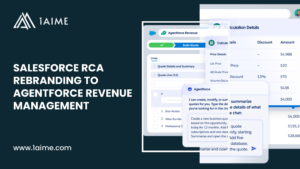
What Salesforce RCA Rebranding to Agentforce Revenue Management Really Signals?
Ash MahmudIn October 2025, Salesforce announced the rebranding of Revenue Cloud Advanced as Agentforce Revenue Management. Notably, it repositioned revenue management within Salesforce’s AI strategy and elevated intelligence as a defining element of revenue operations. The rebrand followed closely after Revenue Cloud Advanced had begun to gain market recognition. As a result, the announcement prompted immediate questions across enterprises and the partner ecosystem. Organisations sought clarity on whether the change represented a naming adjustment, a functional shift, or a change in operating expectations. So now, enterprises face a practical interpretation challenge. Teams must reconcile strategic signalling with execution reality, maintain governance discipline, and avoid disruption to active programmes. Understanding the intent behind the rebrand has become essential to preserving confidence and continuity. This guide critically examines RCA rebranding and its impact with precision. It distinguishes structural continuity from strategic acceleration. All while providing clear guidance on how enterprises should interpret and adjust without overcorrecting. Why Salesforce Rebranded Revenue Cloud Advanced? Salesforce rebranded Revenue Cloud Advanced as Agentforce Revenue Management as part of a broader enterprise strategy centred on Agentforce. Salesforce positioned Agentforce as a horizontal intelligence layer across its product portfolio, with AI agents embedded directly into operational workflows. Revenue operations became a natural extension of this strategy due to their cross-functional scope, transactional density, and proximity to business outcomes. Notably, the rebrand did not coincide with a fundamental change in the underlying platform. Core capabilities such as unified quoting, contracting, ordering, and billing continued on the same native Salesforce architecture. The data model, execution flows, and configuration foundations carried forward from Revenue Cloud Advanced. The shift focused on emphasis and positioning rather than structural reinvention. Salesforce also used the rebrand to signal long-term investment direction. Messaging evolved from revenue lifecycle consolidation towards agent-led execution. Agentforce Revenue Management framed revenue processes as active participants in decision-making rather than systems driven primarily by predefined automation. This positioned revenue management as a central pillar of Salesforce’s enterprise AI roadmap. What the RCA rebranding clearly establishes: If we look at it from a more strategic perspective, Salesforce strengthened coherence across its enterprise AI narrative. Revenue management could not sit outside the Agentforce identity without fragmenting that story. From an execution perspective, the pace of rebranding shifted explanatory responsibility onto the ecosystem at a moment when consistency could have reinforced confidence. The RCA rebranding therefore reflects a deliberate acceleration. Salesforce clarified its destination. Enterprises and partners now face the task of translating that destination into governed, practical execution. Also Read: How to Manage Revenue Recognition in Salesforce The Evolution Timeline: From RCA to Agentforce Revenue Management Salesforce has rebranded its native, on-platform quote-to-cash offering multiple times in a relatively short period. From early 2024 through late 2025, the platform progressed through several identities as Salesforce refined both its product strategy and market positioning. This evolution reflects a combination of architectural transition, branding consolidation, and strategic alignment with enterprise AI initiatives led by Salesforce. Early 2024: Revenue Lifecycle Management (RLM) Revenue Lifecycle Management launched in early 2024 with the Spring ’24 release. Salesforce introduced RLM as the native, on-platform successor to its traditional managed-package approach to quote-to-cash. At this stage, the emphasis rested on signalling a foundational shift. RLM functioned primarily as a foundational label that established architectural intent rather than long-term branding. Late 2024: Revenue Cloud Advanced (RCA) By Dreamforce 2024, Salesforce repositioned the offering under the name Revenue Cloud Advanced. This change aligned the product more closely with the broader Revenue Cloud portfolio and clarified its place within Salesforce’s commercial suite. The RCA name gained wider adoption across documentation, partner conversations, and customer engagements. This phase marked the point where the platform achieved market recognition and naming stability, albeit briefly. Late 2025: Agentforce Revenue Management (ARM) By October 2025, Salesforce began transitioning the product name to Agentforce Revenue Management. This shift occurred as part of a broader, company-wide effort to align core products under the Agentforce umbrella. The change coincided with Salesforce’s push to position AI agents as central actors across enterprise workflows. At this stage, the naming focused less on platform consolidation and more on strategic direction and intent. Also Read: A Comprehensive Guide to What is Salesforce Go Is This Only a Name Change or a Capability Shift Also? The transition from Revenue Cloud Advanced to Agentforce Revenue Management reflects both continuity and directional change. The underlying revenue platform, architecture, and lifecycle coverage remain largely consistent. However, Salesforce has shifted how the platform is positioned, prioritised, and framed within enterprise operations. The rebrand elevates execution intelligence from an embedded capability to a defining characteristic. This distinction matters because organisations tend to plan, invest, and govern platforms based on stated intent as much as current functionality. As a result, even where capabilities remain stable, expectations, adoption strategies, and operating models begin to shift. Area What Changed Why Salesforce Changed It Impact on RevOps Product Identity Revenue Cloud Advanced renamed to Agentforce Revenue Management Alignment with Salesforce Agentforce 360 and enterprise AI strategy Requires internal and external clarification of scope and product identity Strategic Positioning Revenue execution reframed as agent-led rather than platform-led To signal a future centred on autonomous, intelligence-driven operations RevOps teams reassess long-term operating models and capability maturity Market Messaging Shift from lifecycle unification to execution intelligence To position revenue closer to decision-making and business outcomes Buyer expectations adjust around autonomy, speed, and intelligence Adoption Narrative Emphasis moves from consolidation to orchestration and action To differentiate from traditional automation narratives Change management effort increases across sales, finance, and IT Investment Signal Clear prioritisation of agent-driven roadmap direction To guide customers toward long-term AI alignment Organisations plan readiness rather than immediate transformation Ecosystem Interpretation Greater ambiguity between current capability and future intent Branding acceleration outpaced enterprise adoption cycles Consulting and RevOps leaders spend more time translating intent The Strategic Implications of Salesforce Adding “Agentforce” to Revenue Management Also Read: What Are Modern Salesforce-Native CPQ Platforms? What is the Impact of RCA Rebranding to Agentforce Revenue Management? Salesforce positions Agentforce Revenue Management
What Are Modern Salesforce-Native CPQ Platforms?
Ash MahmudIf you are leading Salesforce, revenue, or commercial transformation, you are likely experiencing growing pressure from your current legacy CPQ platform. Quoting still functions, yet every change demands more effort, more coordination, and more risk than before. Agentforce Revenue Management represents the strategic destination, but timing often works against immediate adoption. Budget cycles, billing readiness, finance ownership, and organisational capacity rarely align at the same moment. Unfortunately, continuing to extend legacy CPQ increases complexity and migration weight over time. Each added rule or workaround deepens dependence on an architecture that no longer matches modern revenue operations. Progress requires a controlled path forward rather than delay. This guide speaks directly to you if a phased approach is required. Modern Salesforce-native CPQ solutions can support defined use cases such as stabilising quoting, enforcing pricing governance, enabling subscription or usage models, and improving sales velocity while preparation for Agentforce Revenue Management continues. Let’s understand how Salesforce-native CPQs serve as transitional platforms that preserve momentum today and maintain alignment with the future revenue architecture. Also Read: What If You Can’t Adopt ARM? Top 5 Practical Alternatives That Protect Your Revenue Roadmap How Salesforce-Native CPQs Differ From Legacy CPQ Models? A legacy CPQ is a rule-heavy quoting engine layered on Salesforce, built to model exhaustive product and pricing complexity, which increases customisation, change risk, and technical debt over time. On the other hand, a modern Salesforce-native CPQ is a scope-disciplined commercial layer built directly on Salesforce core objects that prioritises fast, governed quoting by enforcing pricing guardrails and billing intent upstream, intentionally limiting lifecycle ownership to reduce risk, improve adoption, and stay aligned with future revenue architectures such as ARM. Dimension Salesforce-Native CPQs Legacy CPQ Models Platform Architecture Built directly on Salesforce core objects, security, and automation Managed packages or external engines layered on Salesforce System Philosophy Scope-disciplined commercial layer Feature-complete quoting engine Primary Objective Faster, governed quoting aligned with future RCA Comprehensive configuration and pricing coverage Data Model Modern, simplified, Salesforce-aligned Heavily customised, often rigid Configuration Approach Admin-led configuration, minimal code Rule-heavy logic, frequent custom development Pricing Models Subscriptions, usage, credits, hybrid pricing Product- and discount-centric pricing Sales Adoption High due to native UX and low cognitive load Lower due to complexity and training overhead Implementation Speed Fast, iterative rollout Long, transformation-style implementations Customisation Strategy Intentional limitation to reduce debt Extensive customisation encouraged Governance Inline pricing guardrails and approvals Complex rule-driven enforcement Billing Alignment Configures billing intent at quote level Billing handled downstream or externally Revenue Lifecycle Ownership Partial by design Often stretched beyond intended scope Upgrade & Change Effort Predictable and lighter Heavy regression testing required Long-Term Risk Overlap risk if treated as endpoint Technical debt and migration drag Strategic Role Transitional layer toward Revenue Cloud Advanced Legacy system requiring eventual replacement Also Read: CPQ vs Revenue Cloud Advanced: A Complete Comparison Guide for C-Suite Leaders Top 3 Modern Salesforce-Native CPQ Platforms Now, let’s take a look at the top 3 modern Salesforce-native CPQ solutions, which are considered suitable yet use-case specific alternatives to Agentforce Revenue Management (formerly RCA): 1. Nue.io Nue is a modern Salesforce-native CPQ platform designed for organisations that sell across subscriptions, usage, credits, add-ons, services, and hybrid pricing models. It operates entirely inside Salesforce and focuses on fast, governed quoting, while pushing pricing intelligence and billing intent upstream into the quote itself. Notably, Nue does not position itself as a full enterprise revenue lifecycle platform. Instead, it modernises how commercial logic is expressed, approved, and handed off. All without forcing immediate consolidation of billing, finance, and revenue recognition into Salesforce. Core Capabilities When to Use Nue? Use Nue only if the organisation needs to modernise quoting and pricing control inside Salesforce, while intentionally deferring full revenue lifecycle orchestration. Nue is suitable when: How to Use Nue Correctly? In order to avoid future overlap and migration friction, Nue must be deployed with discipline. Also Read: Should You Use CPQ and ARM in the Same Organisation? 2. Vendori Vendori is a Salesforce-native, no-code CPQ platform designed primarily around pricing governance and controlled quoting rather than deep revenue lifecycle ownership. It targets SaaS, AI, and B2B technology companies that need fast quoting, consistent pricing enforcement, and strong sales adoption without introducing heavy CPQ complexity or long implementation cycles. Vendori intentionally positions itself between basic quoting tools and full-scale CPQ or revenue platforms. Its strength lies in restoring order to pricing and approvals while keeping operational overhead low. Core Capabilities When to Use Vendori? Use Vendori only if pricing discipline and sales velocity are the primary challenges — not end-to-end revenue orchestration. Vendori is suitable when: How to Use Vendori Correctly? Vendori delivers value only when its scope is intentionally constrained. Also Read: ARM Adoption Failure Patterns Leadership Should Expect 3. Subskribe Subskribe is a Salesforce-native quote-to-revenue platform that combines CPQ, subscription billing, and revenue recognition into a single, tightly integrated system. It is designed primarily for SaaS and technology companies with complex subscription structures, ramp deals, amendments, and finance-led reporting requirements. Unlike other modern Salesforce-native CPQs, Subskribe deliberately extends beyond quoting into billing and revenue recognition. This places it closer to Revenue Cloud Advanced in functional intent, while still positioning itself as faster to implement and easier to operate for high-growth SaaS environments. Core Capabilities When to Use Subskribe? Use Subskribe only if the organisation is ready to consolidate quoting, billing, and revenue recognition into a single Salesforce-native platform, but is not yet committing to the full Revenue Cloud Advanced stack. Subskribe is suitable when: How to Use Subskribe Correctly? Because Subskribe spans multiple lifecycle stages, scope discipline is critical. Also Read: A Comprehensive Guide to What is Salesforce Go Is Modern Salesforce-Native CPQ Suitable for Your Org? You may choose to implement a modern Salesforce-native CPQ as an interim step, but only when the organisation is deliberately optimising for speed, stability, and controlled progress rather than full revenue orchestration. This option assumes Revenue Cloud Advanced remains the strategic destination, while immediate operational pressure requires faster quoting, simpler governance, and
What If You Can’t Adopt Agentforce Revenue Management? Top 5 Practical Alternatives
Ash MahmudIt is possible that you are not ready to migrate to Salesforce Agentforce Revenue Management (formerly RCA). Because ARM readiness gaps are very likely to appear: So, in such a situation, forcing an immediate ARM migration introduces risk rather than progress. It is better to focus on protecting revenue flow while preparing for the future state. You can go for strategic alternatives that allow your organisation to operate effectively today without compromising tomorrow’s roadmap. However, each option requires clear intent, disciplined execution, and conscious planning around future migration impact. Also Read: Should You Use CPQ and ARM in the Same Organisation? Agentforce Revenue Management Alternative 1: Salesforce CPQ Stabilisation Let’s say you cannot migrate to ARM right away. You can continue using Salesforce CPQ, but you will need to stabilise it. Yes, it is important to do this with intent, or else CPQ complexity will grow quietly and start to affect pricing control, approval discipline, and revenue confidence. Stabilisation places CPQ into a controlled state where it supports the business without pulling it further away from the future revenue model. Here’s how you can stabilise Salesforce CPQ in a practical and disciplined way: But keep in mind that stabilisation creates breathing room, not forward momentum. Each workaround adds future transition effort, and each delay increases migration weight. This option works best with a clear exit horizon and a shared understanding that Agentforce Revenue Management emains the destination rather than an open question. Agentforce Revenue Management Alternative 2: Salesforce-Adjacent Lightweight CPQs In case, Salesforce CPQ feels too heavy to extend further, you can move toward Salesforce-adjacent lightweight CPQs. This option places speed, sales adoption, and ease of rollout ahead of full revenue lifecycle coverage. Anyhow, it is important to approach this path with clarity, or else short-term speed can create long-term revenue fragmentation. Salesforce-adjacent CPQs operate alongside Sales Cloud and focus on quote creation, discount control, and document output. Tools such as DealHub, Conga CPQ, and Hive CPQ attract teams that prioritise fast rollout and high sales acceptance. This route suits organisations where sales velocity matters more than end-to-end revenue architecture at this stage. Here’s how you can use a lightweight CPQ correctly: This approach works best when leadership views the CPQ as a tactical layer rather than a system of record. Sales teams gain speed and clarity. Operational friction reduces. Time to value improves. But keep in mind that lightweight CPQs stop at the quote boundary. Revenue events, renewals, amendments, and recognition remain external. Over time, this separation increases coordination effort across systems. This option stays effective only when teams accept its limits and maintain a clear path toward ARM as the long-term destination. Also Read: ARM Adoption Failure Patterns Leadership Should Expect Agentforce Revenue Management Alternative 3: Engineering-Grade Product Configurators Let’s say product complexity drives the problem rather than pricing or approvals. In that case, Agentforce Revenue Management adoption may feel premature, and Salesforce CPQ may struggle to reflect how products actually assemble. Many organisations then turn toward engineering-grade product configurators. But you must recognise this trade-off early, or else quoting speed and revenue alignment are very likely to suffer later. Engineering-grade configurators focus on rules, dependencies, and technical validity. Platforms such as Tacton and Logik.io attract businesses with complex BOM structures, variant logic, or technically constrained offerings. This route suits organisations where incorrect configuration carries higher risk than slow deal cycles. Here’s how you can use an engineering-grade configurator effectively: It can surely improve product accuracy and reduce rework as sales teams gain confidence in what they sell while engineering teams maintain control over configuration logic. But keep in mind that engineering-grade configurators do not manage the revenue lifecycle. Pricing, billing, amendments, and renewals remain separate concerns. Over time, this split can create alignment pressure across systems. This option works best only if configuration complexity dominates and you have planned a transition to Agentforce Revenue Management as a part of the long-term roadmap. Agentforce Revenue Management Alternative 4: Modern Salesforce-Native CPQ Platforms Let’s say you want to stay fully inside the Salesforce platform, but RCA adoption still feels too heavy for the current phase. In this situation, many organisations look toward modern Salesforce-native CPQ platforms. This option appeals to teams that want a cleaner architecture than legacy CPQ without committing to full Revenue Cloud scope. Yes, it is important to set expectations clearly, or else overlap and rework appear later. Modern Salesforce-native CPQs focus on subscriptions, usage, amendments, and simplified pricing models while running directly on the Salesforce platform. Solutions such as Nue.io and Vendori attract organisations that value native user experience, faster deployment, and modern data models. This route suits teams that want progress without architectural sprawl. Here’s how you can use a modern Salesforce-native CPQ effectively: This approach improves usability and reduces legacy CPQ burden. Sales and operations teams gain faster access to modern capabilities without leaving Salesforce. But keep in mind that these platforms cover only part of the revenue lifecycle. Advanced billing, revenue recognition, and enterprise scale still sit outside their scope. Over time, functional overlap with Revenue Cloud Advanced increases. This option works best when teams treat it as a bridge and preserve a clear transition path toward RCA. Also Read: CPQ vs Revenue Cloud Advanced: A Complete Comparison Guide for C-Suite Leaders Agentforce Revenue Management Alternative 5: Custom-Built Revenue Services It is a high-risk option that demands strong ownership and long-term accountability. Custom-built revenue services give full control over pricing, configuration, and quote logic, but they also remove the safety net that packaged platforms provide. However, this approach suits organisations with mature engineering teams and stable funding for ongoing platform maintenance. You may opt for custom-built revenue services if off-the-shelf CPQ tools restrict product evolution or pricing flexibility. For example, a technology business with usage-based pricing, frequent product bundling, and rapid commercial experimentation may find standard CPQ models too rigid. Pricing changes may require repeated reconfiguration, extended testing cycles, or vendor dependency, which slows execution. A custom revenue service allows pricing